Calendar Templates for Creative Project Sprints - Scheduling
Calendar Templates for Creative Project Sprints: Scheduling Rapid Iteration Without Derailing Operations - Use templates for 3-5 day sprints; avoid disruptions.
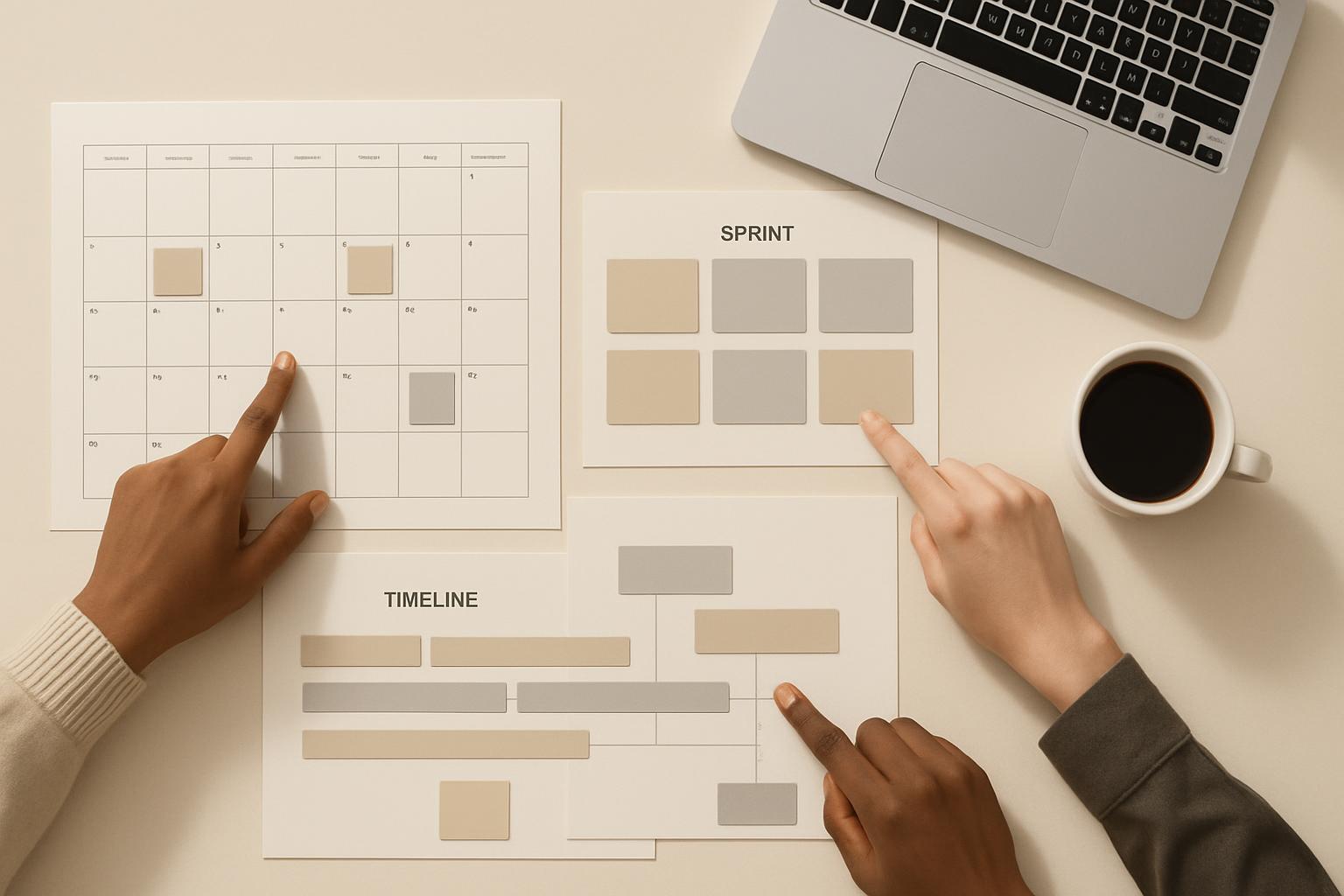
Use purpose-built calendar templates to run creative project sprints that accelerate iteration while preserving day-to-day operations. Companies that standardize sprint scheduling reduce context switching by up to 30% and improve on-time delivery; a calibrated three- to five-day sprint cadence with built-in buffers is a common high-performing pattern. (Sources cited below.)
Introduction
This article explains how to design and implement calendar templates for creative project sprints that enable rapid iteration without derailing ongoing operations. It is written for business professionals, product managers, creative leads, and operations managers who need repeatable, low-friction scheduling patterns that align creative experimentation with operational reliability.
Quick Answer: Adopt a modular calendar template: defined sprint windows, protected operational buffers, synchronized cross-functional checkpoints, and a measurement loop. Use 3–5 day sprint templates for ideation and 1–2 week templates for execution, with explicit handoffs to operations.
Why calendar templates matter for creative project sprints
Calendar templates convert recurring scheduling decisions into a repeatable system. For creative teams, this reduces lead-time friction, minimizes conflict with operational calendars, and clarifies expectations for stakeholders.
What is a creative project sprint?
A creative project sprint is a time-boxed period where cross-functional teams rapidly generate, prototype, or validate creative work—such as campaigns, design experiments, or feature concepts—focused on learning and iteration rather than final production.
Why templates help
- Standardization: Reduces planning overhead and ambiguity across teams.
- Predictability: Operations can reserve capacity when sprint windows are known in advance.
- Scalability: Templates make it easier to scale sprint-based work without individual re-planning each time.
Designing calendar templates for rapid iteration
Template design balances three constraints: speed (short cycles), quality (design and review standards), and operations continuity (no surprise resource drains). Below are practical design elements.
Timeboxing and cadence
- Choose a default sprint length aligned with goal type: 3–5 days: discovery, rapid prototyping, creative ideation
- 1–2 weeks: small campaigns, minor feature builds
- 3–4 weeks: larger creative initiatives or integrated launches
- Fix a cadence (e.g., biweekly light sprints) and publish the calendar for a quarter to allow operations to plan.
Quick Answer: Use 3–5 day sprints for creative exploration but couple them with 24–72 hour operational buffers around deliverables to avoid disrupting steady-state work.
Workback schedules and milestone markers
Embed milestone markers into the template so every sprint calendar includes:
- Kickoff (Day 0)
- Mid-sprint review (for course correction)
- Final review/demo
- Handoff-to-operations window
These markers should be non-negotiable calendar events so stakeholders can align resources and reserve time.
Buffering and operations continuity
Buffers are explicit calendar slots that protect operational teams from ad-hoc requests resulting from sprint outputs. Recommended practice:
- Reserve 24–72 hours before and after sprint deliverables for operations intake.
- Make buffers visible in shared team calendars and communicate SLA expectations for accepting or deferring sprint outputs.
Scheduling templates that avoid derailing operations
Templates must be designed to reconcile two competing priorities: the need for creative speed and the need for predictable operations. The following patterns help preserve operational capacity.
Cross-functional coordination
- Calendar templates should include mandatory cross-functional checkpoints with operations, legal, or finance as appropriate.
- Use shared calendar layers or a consolidated master calendar to expose sprint windows across teams.
- Tag events with impact level (low/medium/high) so non-participating teams can estimate disturbance levels.
Communication protocols
- Pre-sprint brief: 15–30 minute alignment call or written brief attached to the calendar event.
- SLA for operational review: define the expected response time (e.g., 48 hours) and acceptance criteria for handoffs.
- Escalation path: include named contacts and communication channels on the event invitation.
Recommended calendar template types
Below are practical templates to copy or adapt. Each template includes the objective, cadence, key events, and buffer rules.
Sprint cadence template (fast iteration)
- Length: 3–5 business days
- Key events: Day 0: Kickoff (30 min)
- Day 2: Mid-sprint check (15–30 min)
- Day 4 or 5: Demo + handoff (45–60 min)
- Buffer: 48 hours post-demo for operations intake
- Use case: creative ideation, micro-experiments, rapid A/B content tests
Parallel tracks template (multiple simultaneous efforts)
- Designate parallel lanes (e.g., creative, technical, operations) visible as separate calendar colors or channels.
- Align checkpoints at the end of each sprint for integrated demos to identify cross-track dependencies early.
- Buffering: Stagger sprint end dates to avoid simultaneous heavy intake on operations.
Hybrid operations-sprint template (sprints inside operational windows)
When operations cannot afford downtime, embed sprints as micro-windows inside ongoing schedules.
- Length: 1–3 days, scheduled during low-volume operational periods.
- Include an explicit 'ready for ops' checklist attached to the calendar invite.
- Enforce resource reservations (i.e., designate 1–2 ops staff as backup) to handle urgent requests without blocking the sprint.
Implementation steps: from template to practice
Implementation should follow a phased approach to avoid one-off disruptions.
Step-by-step rollout
- Audit: Map recurring operational peaks and existing calendar conflicts for the next quarter.
- Design: Select one or two template types and adapt them to team rhythms.
- Pilot: Run pilot sprints with a subset of stakeholders and measure impact on operations.
- Refine: Adjust buffers, cadence, and handoff rules based on pilot learnings.
- Scale: Publish templates in a central calendar library and train teams on usage rules.
Tools and integrations
- Calendar platforms: Google Calendar, Microsoft Outlook (use shared calendars and color-coded events)
- Project tools: integrate templates with task boards (e.g., Jira, Trello, Asana) so sprint events map to work items
- Automation: use calendar APIs or workflow tools (Zapier, Power Automate) to auto-populate recurring sprint events and reminders
Example workflow checklist (copyable)
- Publish sprint dates for quarter (Q1/Q2) — done by project lead
- Attach brief and success criteria to kickoff invite
- Reserve ops buffer time in team calendar
- Assign operations liaison for each sprint
- Run mid-sprint check and adjust scope if needed
- Complete demo and file handoff package to operations Assets, acceptance criteria, rollback plan
- Operations confirms intake within SLA or requests deferment
Measuring success and adjusting templates
Continuous measurement helps refine calendar templates so they both accelerate iteration and protect operations.
Metrics and KPIs
- Cycle time: average duration from sprint start to deliverable handoff
- Operational disruption rate: percent of sprints that required urgent ops intervention
- On-time intake rate: percent of deliverables accepted within buffer SLA
- Learning velocity: number of validated experiments or accepted creative assets per sprint
Retrospectives and iteration
Include a short retrospective as part of the template (e.g., 15 minutes post-handoff) to capture scheduling friction, resource conflicts, and lessons for the next template iteration.
Contextual background: Agile, Lean, and timeboxing foundations
Creative project sprints borrow from Agile and Lean principles: short cycles, feedback loops, and minimizing waste. Timeboxing forces prioritization and produces discrete outcomes that can be handed off to operations. For reference, the Agile Manifesto and various empirical studies on sprint cadence provide foundational principles for translating software-centric sprints to creative workflows.
Key contextual points:
- Timeboxing reduces scope creep and improves focus.
- Buffers serve as a form of takt time for non-software teams, smoothing peak demand on operations.
- Shared visibility reduces surprises and increases cross-team trust.
Sources cited: Agile principles and research on organizational cadence inform template choices (see sources at the end).
Key Takeaways
- Adopt modular calendar templates that include sprint events, operational buffers, and mandatory handoff criteria.
- Favor short, well-structured sprints (3–5 days) for creative discovery and 1–2 week cycles for small builds.
- Publish sprint calendars in advance and expose them to operations to prevent resource conflicts.
- Use measurable KPIs—cycle time, disruption rate, on-time intake—to adapt templates over time.
- Automate calendar creation and attach briefs to invites to reduce administrative overhead.
Frequently Asked Questions
How long should a creative sprint be?
Short sprints of 3–5 days are effective for ideation and rapid prototyping; use 1–2 weeks for execution-focused work. Choose a length aligned to the goal: discovery (short) vs. delivery (longer).
How do I prevent sprints from consuming operational resources?
Design calendar templates with explicit buffers and a mandatory operations liaison. Publish sprint dates well in advance and define SLAs for accepting handoffs so operations can plan capacity.
What should be included in a sprint calendar invite?
Include the brief, success criteria, named stakeholders, key milestones (kickoff, mid-check, demo), and the buffer window for operations intake. Attach relevant assets and contact details.
How do I scale sprint templates across multiple teams?
Start with a pilot, codify templates in a shared calendar library, and automate recurring sprint creation. Use consistent labeling and color-coding to make cross-team visibility intuitive.
Which tools integrate best with calendar templates?
Standard calendar platforms (Google Calendar, Outlook) work well for scheduling; integrate with task boards (Jira, Asana, Trello) and use automation tools (Zapier, Power Automate) to keep events synchronized with work items.
How do you measure whether calendar templates are working?
Track cycle time, operational disruption rate, on-time intake rate, and learning velocity. Run regular retrospectives to capture qualitative feedback and adjust cadence or buffers accordingly.
Sources: Agile Manifesto (https://agilemanifesto.org) [1]; Organizational cadence and innovation research (Harvard Business Review) [2].
Scheduler
Hand your calendar to an assistant that never drops a thread.
Keep reading

What the Data Says About Why Your Work Calendar Feels Broken
The average knowledge worker loses 103 hours a year to unnecessary meetings, and half of all meetings land right in the middle of peak focus hours, per Asana and Microsoft's own research. Here's what the data says is actually breaking calendars, and where AI agents can help.
![Personal CRM for Busy Professionals — Proven [Expert Guide]](https://nuxxt0us9k7umi1n.public.blob.vercel-storage.com/blog-covers/6a4ebc1bc9f0db5df88f43d4_article-4c713aac-f045-433e-a0f9-fa40d8d41b92.jpeg)
Personal CRM for Busy Professionals — Proven [Expert Guide]
Discover Personal CRM for Busy Professionals: Use Basic AI to Remember Names, Promises, and Follow‑Ups Without Extra Effort — Get the full breakdown
Paper-to-Calendar Made Easy: How to Capture Notes, Sticky Ca
Learn about Paper‑to‑Calendar Made Easy: Capture Notes, Sticky Cards and Voice Memos and Turn Them into Calendar Actions Using Basic AI Tools in this comprehensive SEO guide.