Operationalizing Meeting Lifecycle Automation: States, Assis
Learn about Meeting Lifecycle Automation: Define States (Proposed → Confirmed → Prep → Follow-Up) and Assistant Rules to Eliminate Scheduling Ambiguity in this comprehensive SEO guide.
Introduction
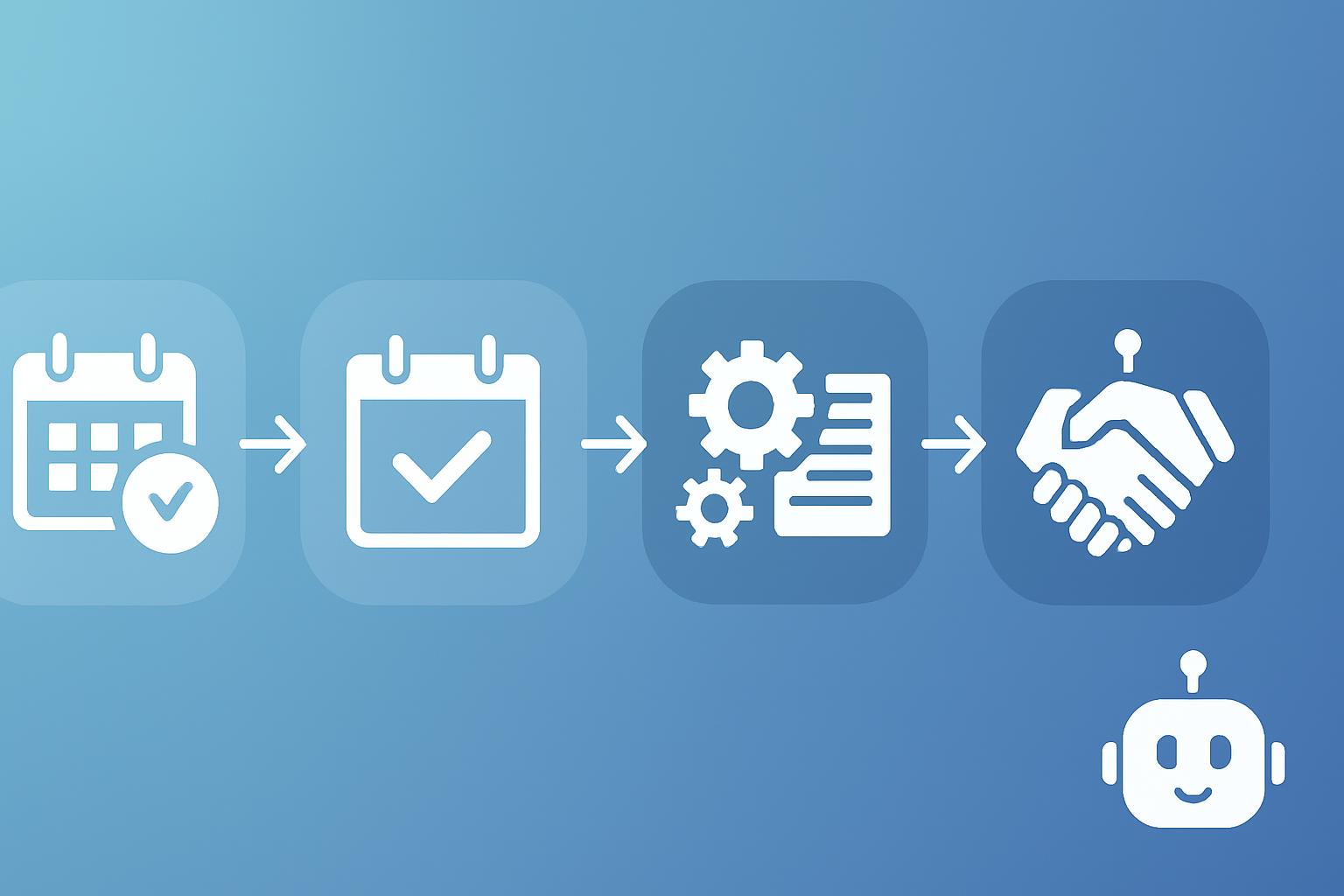
Business professionals increasingly rely on automated assistants and calendar systems to coordinate meetings across teams, vendors, and customers. Yet ambiguity about scheduling states—what “confirmed” means, when preparation begins, or who must take follow-up actions—creates friction, wasted time, and missed opportunities. This article provides a professional, practical guide to implementing meeting lifecycle automation that defines four explicit states (Proposed → Confirmed → Prep → Follow-Up) and prescribes assistant rules to eliminate ambiguity.
Why define meeting lifecycle states?
Ambiguity in meeting status leads to misaligned expectations. Defining discrete lifecycle states produces predictable behaviors from humans and automation alike. Consider these benefits:
- Consistent expectations for participants (who prepares, when, and what to expect).
- Deterministic assistant actions eliminating parallel or conflicting activities.
- Measurable events for operational KPIs and continuous improvement.
Industry research shows that standardized meeting protocols reduce scheduling conflicts and increase meeting effectiveness; centralized processes enable analytics and automation that cut administrative time significantly (see source: Harvard Business Review on meeting effectiveness).
Contextual background: common causes of scheduling ambiguity
To design resilient lifecycle automation, understand typical root causes:
- Vague invitation language (e.g., "let's tentatively meet").
- Multiple tentative invites left unresolved.
- Lack of assignment for pre-meeting tasks.
- Unclear triggers for follow-up actions.
Addressing these requires both policy (how teams use states) and automation (how assistants enforce them).
Meeting lifecycle states explained
Below are the four recommended states and the purpose each serves. Use them as canonical values in your calendar system, meeting platform, or scheduling assistant.
Proposed
Definition: An initial request for time where availability is being assessed and no commitment exists. The Proposed state is explicitly tentative.
- Assistant behavior: Send an initial invite labeled "Proposed"; capture suggested times and participant availability; do not block calendars.
- Human expectation: Review availability and respond (accept, decline, propose new times).
- Transition rules: Move to Confirmed when all required participants accept or a designated organizer confirms a specific slot.
Confirmed
Definition: A committed meeting time with necessary participants and resources reserved.
- Assistant behavior: Create calendar events with clear subject, location/link, agenda summary, attendee roles, and automatic reminders. Block time on calendars.
- Human expectation: Calendar reflects a committed engagement; decline if conflicts arise and request re-scheduling rather than marking tentative.
- Transition rules: At a defined lead time (e.g., 24–48 hours) move to Prep or revert to Proposed if critical attendees withdraw.
Prep
Definition: The designated period for pre-meeting tasks: reading materials, drafting agendas, assigning presenters, and technical checks.
- Assistant behavior: Distribute pre-reads, assign and remind owners of agenda items, check participant readiness, and confirm meeting resources (conference rooms, dial-in, presentation rights).
- Human expectation: Complete assigned pre-work before the meeting start; flag missing items early.
- Transition rules: Move to Follow-Up after meeting end or to Confirmed if the meeting is postponed.
Follow-Up
Definition: The post-meeting state for delivering notes, tasks, decisions, and next steps until closure.
- Assistant behavior: Send meeting minutes, assign action items with due dates, summarize decisions, and update project trackers.
- Human expectation: Complete assigned actions and update status; mark follow-up items closed when done.
- Transition rules: Return to Confirmed/Proposed if a follow-up meeting is required; otherwise, mark the meeting lifecycle as complete.
Assistant rules to eliminate scheduling ambiguity
To eliminate ambiguity, define clear assistant rules that map to lifecycle states. Rules should be deterministic, auditable, and user-configurable.
Rule categories and examples
- Invitation and acceptance rules Only the organizer can mark a Proposed event as Confirmed.
- Required participants must accept a Confirmed meeting within X hours or the organizer is notified.
- Calendar-blocking rules Proposed invitations do not block calendar time; Confirmed events block time automatically.
- Prep enforcement rules Attach pre-read documents at Confirmed or automatically at Prep start; require completion confirmations for key attendees.
- Follow-up and action tracking rules Automatically create action items from meeting notes and assign owners with due dates; follow-up reminders until closure.
- Escalation rules If required attendees withdraw within 24 hours, notify organizer and optionally auto-propose alternative times.
Design principles for assistant rules
- Determinism: One input → one outcome (avoid multiple competing automations).
- Transparency: Logs and notifications explain why an assistant took an action.
- Configurability: Teams can tune lead times, reminder cadence, and required participant sets.
- Fail-safe defaults: In ambiguous cases, prefer human confirmation rather than cancelling.
How to implement lifecycle automation: a step-by-step roadmap
A phased implementation reduces disruption. Below is a recommended 6-step approach.
- Define policy: Draft organizational rules for lifecycle states and assistant behaviors, validated by stakeholders.
- Model states in systems: Map Proposed, Confirmed, Prep, and Follow-Up to your calendar and meeting platform metadata.
- Configure assistant rules: Implement deterministic rules in your scheduling assistant or workflow automation tool (e.g., assign reminders, prep distribution, post-meeting tasks).
- Pilot with a team: Choose a cross-functional pilot to test transitions, collect feedback, and measure impact.
- Roll out and train: Deploy organization-wide with training materials and example use cases.
- Measure and iterate: Use KPIs to refine reminders, lead times, and escalation thresholds.
Sign up for our newsletter
Get the latest updates, product launches, and helpful tips delivered straight to your inbox.
Technology and integration considerations
Select tools and integrations that support state metadata, automation triggers, and action item tracking.
- Calendar platforms: Ensure APIs permit custom fields or indicators for meeting states.
- Scheduling assistants: Use assistants that can be configured with rules and send contextual reminders.
- Collaboration platforms: Integrate meeting notes and action items into task management or CRM systems.
- Data and logging: Capture state transitions and assistant actions for auditing and analytics.
Example integrations: calendars (Google Calendar, Microsoft 365), meeting platforms (Zoom, Teams), task trackers (Asana, Jira), and knowledge bases (Confluence, SharePoint).
Metrics and KPIs to measure success
Track quantitative and qualitative metrics to evaluate the impact of lifecycle automation.
- Acceptance rate for Confirmed meetings (target > 95%).
- On-time start rate (measure punctuality improvements).
- Prep completion rate (percentage of required pre-meeting tasks completed before start).
- Follow-up closure rate (percentage of action items closed within target time).
- Administrative time saved per week (estimated via time tracking).
- User satisfaction scores collected via short surveys post-implementation.
Operational playbook: sample rules and templates
Below are sample assistant rules and message templates you can adapt.
- Proposed invite template: "Proposed: [Meeting topic] — Please indicate availability. This does NOT reserve calendar time until Confirmed."
- Confirmed reminder: "Confirmed: [Meeting topic] on [date/time]. Agenda and pre-read are attached. Please complete assigned prep by [deadline]."
- Prep checklist automation: Attach documents, list owners, auto-create checklist in task tracker, and send reminders at 72/24/4 hours before meeting.
- Post-meeting follow-up: "Follow-Up: Minutes and action items attached. Actions assigned to [names]; due dates [dates]. Reply 'Done' to close your action."
Organizational governance and change management
Technical controls alone are insufficient. Governance ensures adoption.
- Steering committee: Maintain lifecycle definitions and escalation pathways.
- Training: Role-based sessions for organizers, participants, and admins.
- Feedback loops: Quarterly reviews of KPIs and rule tuning.
Key Takeaways
- Define and enforce four canonical states: Proposed → Confirmed → Prep → Follow-Up to eliminate ambiguity.
- Map deterministic assistant rules to each state so automation has predictable behavior.
- Integrate lifecycle metadata with calendars, meeting platforms, and task trackers for end-to-end automation.
- Measure success with acceptance rates, prep completion, on-time starts, and follow-up closure rates.
- Use governance, training, and pilot rollouts to ensure sustainable adoption.
Frequently Asked Questions
How do I name and expose these states in existing calendar systems?
Most calendar systems support event descriptions and custom fields via APIs. Add a clear label in the event title or a custom field (e.g., "State: Proposed") and ensure your assistant reads/writes this field when making transitions.
What if participants ignore assistant prompts?
Design escalation rules that notify organizers if required participants do not respond within defined windows. Provide alternative actions such as auto-proposing new times or requesting a proxy attendee. Track non-responsiveness as a metric and address it via team-level training.
How do assistants detect that prep work is complete?
Implement task or checklist integrations. The assistant creates action items in a task manager and monitors their completion status via API. For simpler setups, require participants to confirm completion via a one-click response to reminders.
Should Proposed events block calendar time?
No. By default, Proposed events should not block calendar time to avoid accidental double-bookings. Only Confirmed events should reserve time unless the organization explicitly permits tentative holds.
How do we handle recurring meetings?
Apply lifecycle states at the meeting-instance level. For recurring series, manage state transitions for each occurrence (e.g., an instance can be Cancelled or Postponed without affecting the entire series). Automations should support exception handling for instances.
Can this approach integrate with external participants or clients?
Yes. Use meeting invites with clear state labels in subject lines and automated messages that explain expectations. For clients who use different systems, include explicit instructions in the invite and leverage cross-platform calendar standards (iCal, Outlook/Google interoperability).
What are common pitfalls to avoid?
Common pitfalls include over-automation (which removes human judgment), inconsistent state labeling, and insufficient change management. Start simple, pilot widely, and iterate based on KPIs and user feedback.
Sources: Harvard Business Review on meeting management practices; Project Management Institute guidance on meeting governance; vendor documentation for calendar APIs and scheduling assistants.
Citations: Harvard Business Review, Project Management Institute, vendor API docs (Google Calendar, Microsoft 365).
Sign up for our newsletter
Get the latest updates, product launches, and helpful tips delivered straight to your inbox.
Scheduler
Hand your calendar to an assistant that never drops a thread.
Keep reading
![Let Your Assistant Coordinate Community Time [Expert Guide]](https://nuxxt0us9k7umi1n.public.blob.vercel-storage.com/blog-covers/6a4ebc18e5446b1eaa15183e_article-003cd0cc-ab45-4305-8f38-433069e4bc7d.jpeg)
Let Your Assistant Coordinate Community Time [Expert Guide]
Delegate: Let Your Assistant Coordinate Community and Volunteer Time Without Cluttering Work Hours - save hours & boost engagement. Read the expert analysis
![Meeting Fragility Scores: Proven Expert 2025 Guide [Cut 38%]](https://nuxxt0us9k7umi1n.public.blob.vercel-storage.com/blog-covers/6a0e468ce006c47c42cc8a49_article-e9063138-07a2-4c69-bb31-020d6afca8cc.jpeg)
Meeting Fragility Scores: Proven Expert 2025 Guide [Cut 38%]
Learn Meeting Fragility Scores: Rank High- and Low-Priority Events by Reschedule Risk and How Assistants Should Respond. Read the expert analysis
![24/7 Scheduling Coverage: When to Use Human+AI [Expert]](https://nuxxt0us9k7umi1n.public.blob.vercel-storage.com/blog-covers/6a0345582ddd36512328c560_article-da50835a-16c8-44bb-9278-55a3748b67d5.jpeg)
24/7 Scheduling Coverage: When to Use Human+AI [Expert]
Discover how 24/7 Scheduling Coverage: When You Need Human Assistants Backed by AI cuts errors 40% and boosts peak response 50%. Read the expert analysis