Meet the Scheduling Network, your fastest path from “Want to meet?” to “Booked.”
Schedule with your contacts faster than ever. Add them to your Workmate Scheduling Network and instantly book meetings with them. Zero back and forth!

If your calendar has ever felt like a group project, you're not alone. Planning a meeting usually comes with a familiar pattern, a few messages, a few options, a few more messages, then a last minute “Wait, can you do 30 minutes later?”
If you are a Workmate Scheduler assistant user, you never have to deal with that, your Workmate Scheduler assistant handles it all for you. But that does not mean there is NO back and forth, it is simply delegated to your capable Workmate Scheduler.
Today, we are excited to introduce something that doesn't just delegate the back and forth, it eliminates it entirely, especially for the meetings you schedule over and over again with the same people. It is called the Scheduling Network, and it cuts the back and forth to zero.
Introducing the Scheduling Network
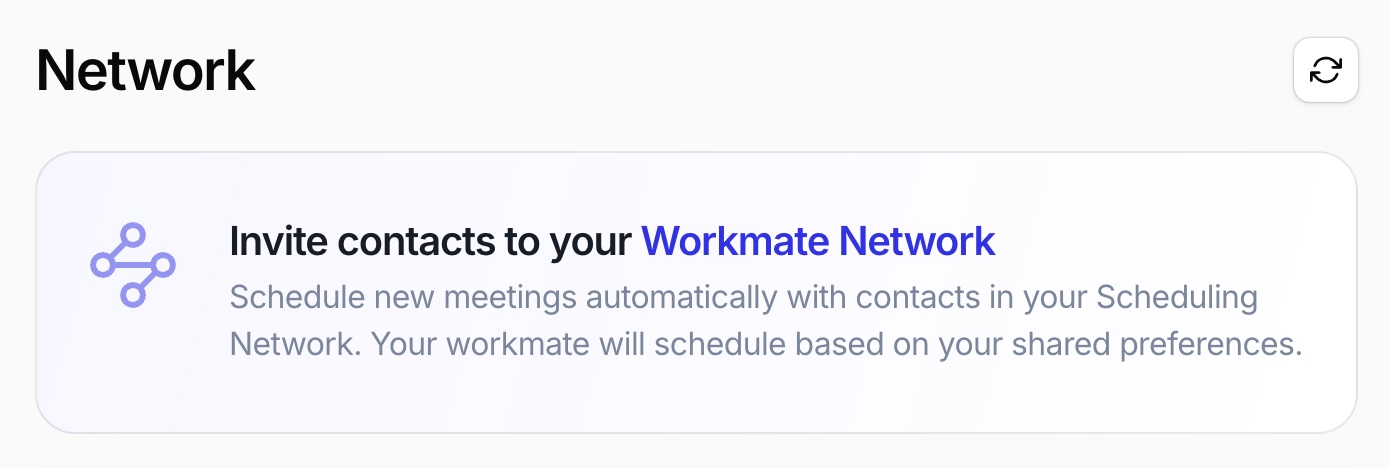
The Scheduling Network helps you schedule faster with the people you meet with most. Workmate Scheduler identifies the connections that show up repeatedly in your calendar, then makes it easy to invite them to join Workmate Scheduler for free. Once they are in, meeting scheduling becomes the quick, sensible thing it should be.
Think of it as your go to circle for scheduling, the people you talk to every week, every month, or every time a project heats up.
- Faster scheduling with frequent collaborators: Instead of starting from scratch every time, you build a network once and enjoy the speed repeatedly.
- Less coordination fatigue: Fewer messages, fewer “What about Tuesday?” threads for everyone involved.
- Better follow through: When scheduling is easy, meetings happen sooner, and projects move forward.
Practical example: You have a weekly check in with your manager, a recurring sync with your product partner, and a monthly review with a client stakeholder. Instead of coordinating each one as if it is brand new, you invite them into your Scheduling Network. Next time you need time together, Workmate Scheduler can handle it quickly, with less effort from both sides.
Book a meeting in a click with “New Meeting”
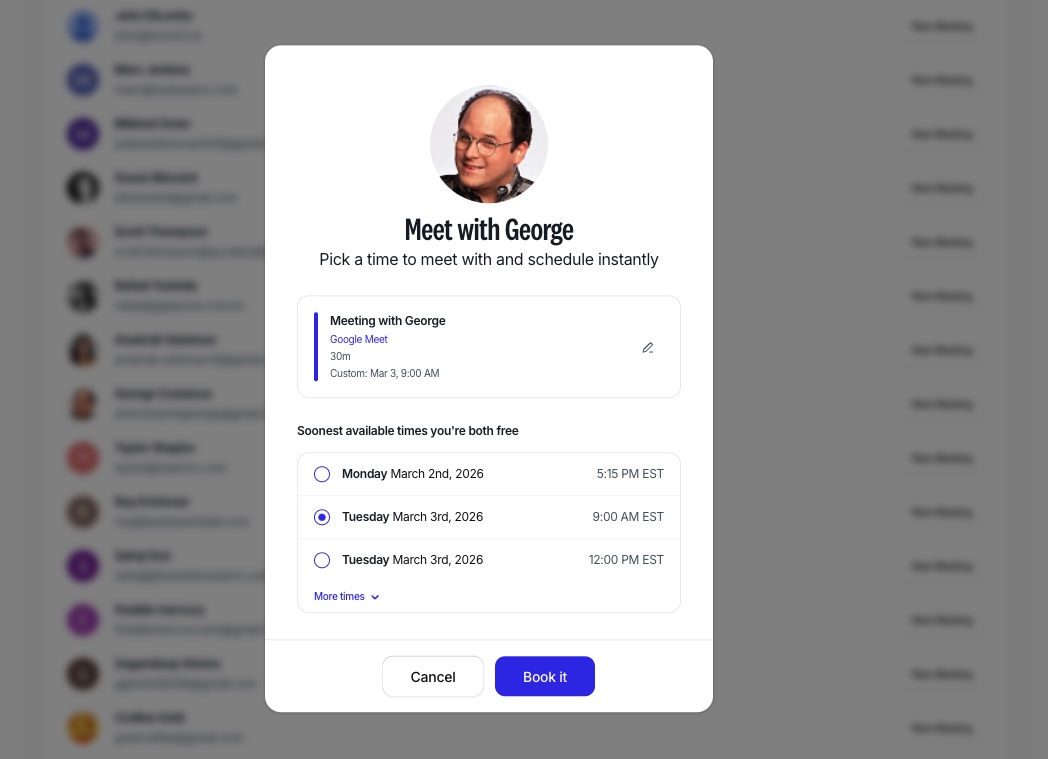
Once someone is in your Scheduling Network, scheduling time with them becomes refreshingly simple. Pick the person, click the “New Meeting” button, and you can instantly schedule a meeting in a click. No long email thread. No copy pasting availability. No “Does 2:30 still work?”
- One click scheduling: Great for quick decisions and fast moving work.
- Perfect for repeat meetings: Standups, 1:1s, working sessions, interview loops, client check ins.
- Privacy-Aware: Workmate Scheduler will show you a few times that work according to both of your preferences, not your full availability.
Practical example: Your teammate pings you, “Can we talk today?” You open Workmate Scheduler, select them from your Scheduling Network, hit “New Meeting,” and it is booked. You get back to work, and they get clarity quickly.
Sign up for our newsletter
Get the latest updates, product launches, and helpful tips delivered straight to your inbox.
Mutual Availability in an Instant
Sometimes the hardest part of scheduling is not deciding to meet, it is finding a time that actually works. Workmate Scheduler is flipping that equation on its head. Now the most work you should do is deciding when to meet. Scheduling the meeting becomes the easiest part.
- Email, Slack, or SMS - and now the UI: When someone is in your Workmate Scheduler assistant Scheduling Network, when you ask for a meeting it gets booked like magic.
- You are always in control: Don't want instant meetings? Simply toggle off Network Scheduling in your settings and Workmate Scheduler will check with you first.
- Rescheduling becomes a breeze, too: Just ask Workmate Scheduler to move a meeting where all participants are in your network and watch it move on your calendar with no effort!
Decide to meet. Meet.
Once you decide to meet, that is where the work should stop for everyone involved.
Ready to try it?
The Scheduling Network is for anyone who schedules meetings with the same people regularly. Invite the people you meet with most to join Workmate Scheduler for free, then use “New Meeting” to schedule in a click and move on with your day.
Check out your Scheduling Network, invite your frequent collaborators, and schedule your next meeting with “New Meeting.” Your inbox will thank you.
Sign up for our newsletter
Get the latest updates, product launches, and helpful tips delivered straight to your inbox.
Scheduler
Hand your calendar to an assistant that never drops a thread.
Keep reading

Where Do All Your Meetings Actually Go? The Real Cost, By the Numbers
Reclaim.ai surveyed 1,300+ professionals on how much time meetings eat, what they cost, and how often they fall apart before they even happen. The numbers are more specific than the usual complaint.
![Three-Question Compact Agendas: Proven System [Pro]](https://nuxxt0us9k7umi1n.public.blob.vercel-storage.com/blog-covers/6a0e45ff6996f1fff37fb29f_article-27586b25-d86a-4410-9f05-1e27213c92c4.jpeg)
Three-Question Compact Agendas: Proven System [Pro]
Eliminate delays with Three-Question Compact Agendas: Schedule short internal syncs that start on time and end with decisions. Read the analysis now
![Subset-Critical Windows: Proven Scheduling [Expert Guide]](https://nuxxt0us9k7umi1n.public.blob.vercel-storage.com/blog-covers/6a0e4602d4e4fcd05af4bfe9_article-2cf1d83b-25fb-41d7-b3ca-af2248d7d1b7.jpeg)
Subset-Critical Windows: Proven Scheduling [Expert Guide]
Act now: Master Subset-Critical Windows scheduling to speed decisions when only a small, key group must attend a multi-party meeting. Read analysis.